
Everything you need to run your coaching business. Nothing that gets in the way.
Scheduling, flexible pricing, a private client list, a branded booking page, calendar sync, and automated payment reminders — built for the way one-person coaching businesses actually run.
$15/month after — locked in, cancel anytime.
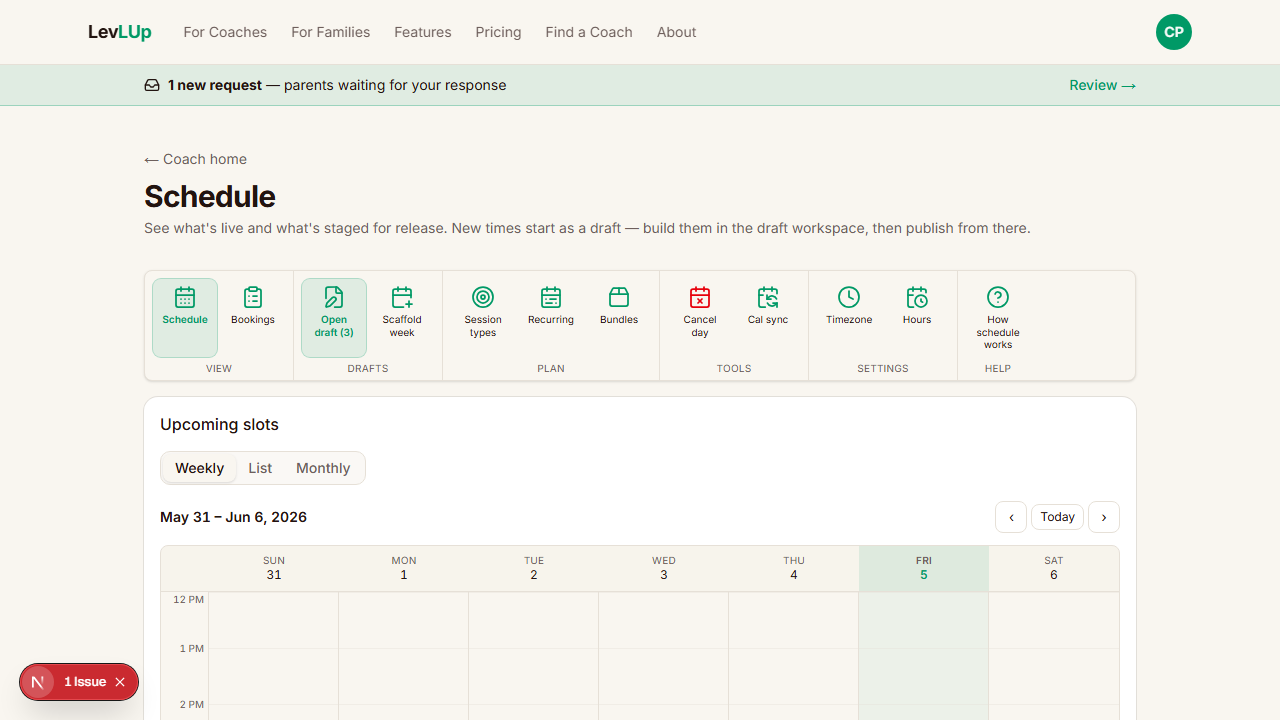
Build your week in clicks
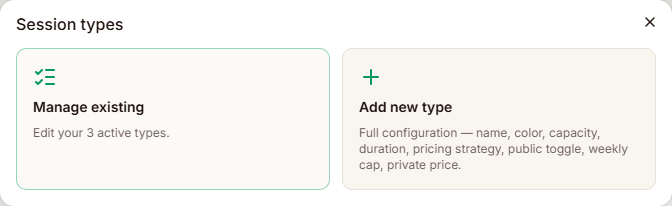
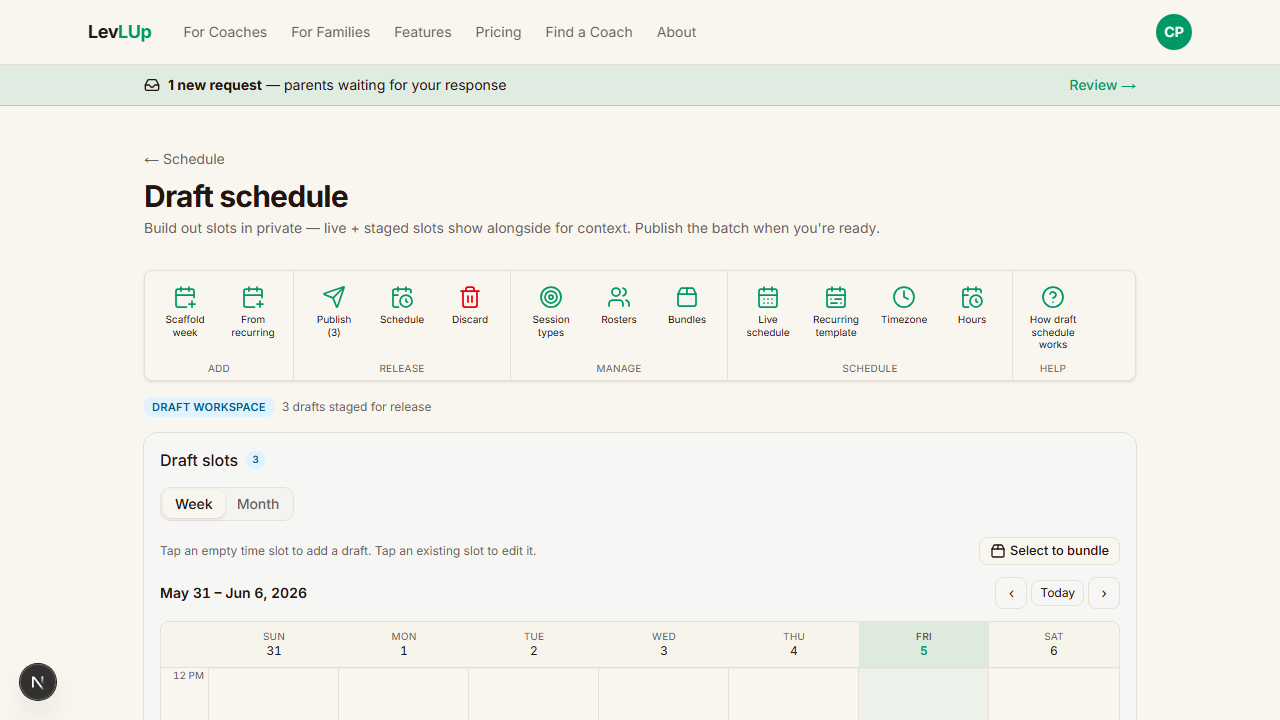
Generate recurring weekly slots or one-off times. Each slot inherits capacity + duration from a session type you defined once.
Pricing per session type
Capped splits, stacked per-person, private buyouts — configure per session type so a 1-on-1 and a group of four don't share a rate.
You decide who books
Roster gating: families request to join your client list, you approve. Public clinics bypass the gate when you want drop-ins.
Rosters + per-group rules
Sort your list into "Senior 4", "Tumbling only", "Tryout list". Cap weekly hours, hide session types, or restrict individual slots per roster.
Payment reminders go out for you
Mark unpaid; LevLUp emails the family a one-tap pay link with the amount + your Venmo/Cash App/Zelle handle. No commission — you keep every dollar.
Recurring templates
Save a week you've built into a template. Stamp it forward as many weeks as you want, then tweak — no more re-entering the same schedule every season.
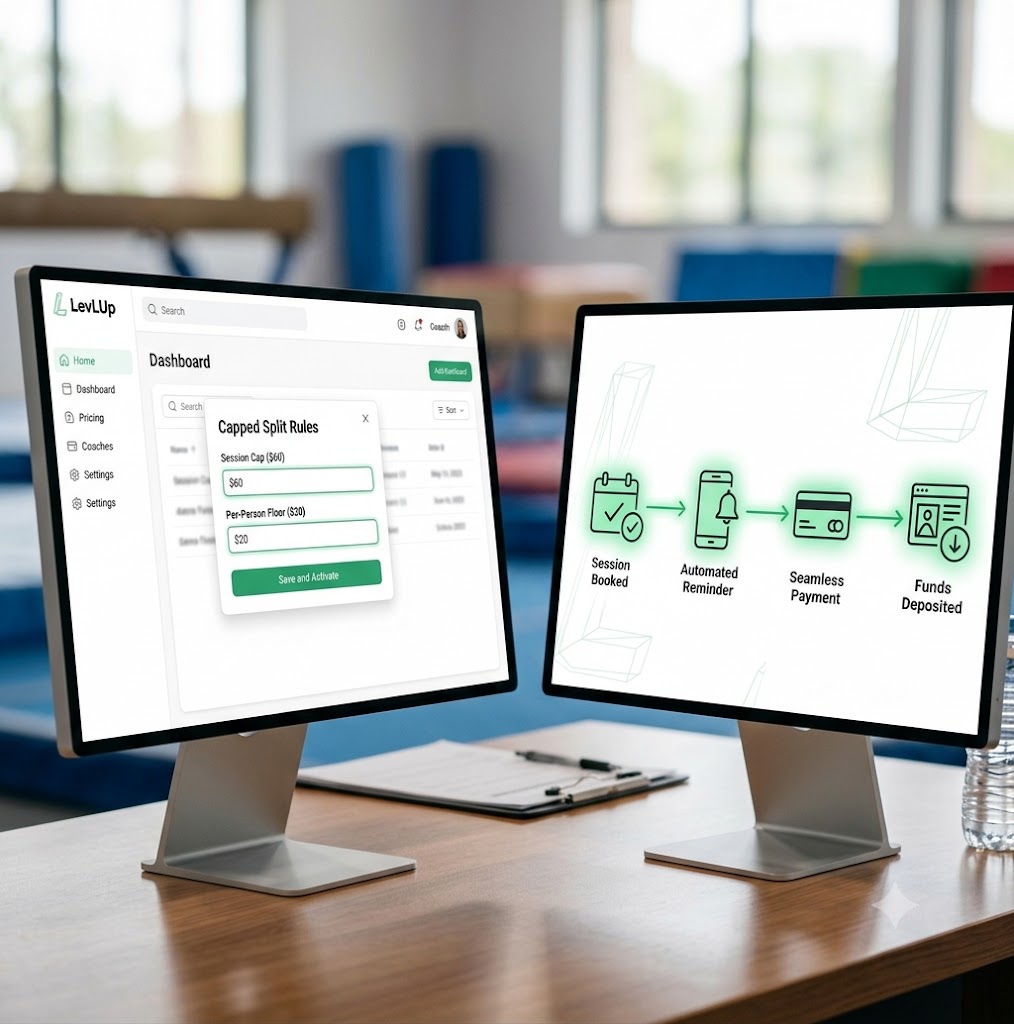
From confirm to paid
Priced. Published. Booked. Paid.
Once you've set your rates, LevLUp runs the rest — instant confirmation, 24-hour + 1-hour reminders, a one-tap pay link to your Venmo / Cash App / Zelle when the session ends.
Zero commission
You keep 100% of every payment — money moves directly between the family and you.
Direct reconciliation
Every pay-link carries a unique memo code so matching a Venmo deposit takes seconds.
Built for repeat athletes
One parent account holds every athlete and every session over time.
Booking experience
A booking page families actually finish
Your branded booking page shows real-time openings — parents pick a time, pick which athlete it's for, confirm. Confirmations and calendar invites land instantly.
- ✓Open / Filling up / Full status pills at a glance.
- ✓Shared sessions let athletes split a slot; private bookings block it out.
- ✓One parent account holds every athlete + every booking over time.
- ✓24-hour and 1-hour reminders fire automatically for every session.
Bookings + payments
Track every session end-to-end
One screen for who's booked, who showed, who paid. Mark unpaid — LevLUp emails the family a one-tap pay link with your handle and a memo code so reconciling your Venmo takes seconds.
- ✓Per-participant outcome: completed paid, completed unpaid, no-show.
- ✓Automatic payment nudges on unpaid sessions until you mark them paid.
- ✓Unique reference code in every pay-link memo so matching a Venmo deposit is trivial.
- ✓0% commission — money moves directly between the family and you.
Mon
6:00 PM
PaidRiley K.
Tumbling · 60m · $55
Mon
7:00 PM
UnpaidAsh M.
Tumbling · 60m · $55
Tue
4:30 PM
PaidSam P.
Tumbling · 30m · $30
Tue
5:00 PM
PaidJamie L.
Tumbling · 60m · $55
Wed
3:30 PM
UnpaidRowan B.
Tumbling · 30m · $30
Wed
5:00 PM
PaidSky C.
Stunt · 60m · $35
Wed
6:00 PM
UpcomingCasey H.
Tumbling · 30m · $30
Thu
4:00 PM
UpcomingRiley K.
Tumbling · 60m · $55
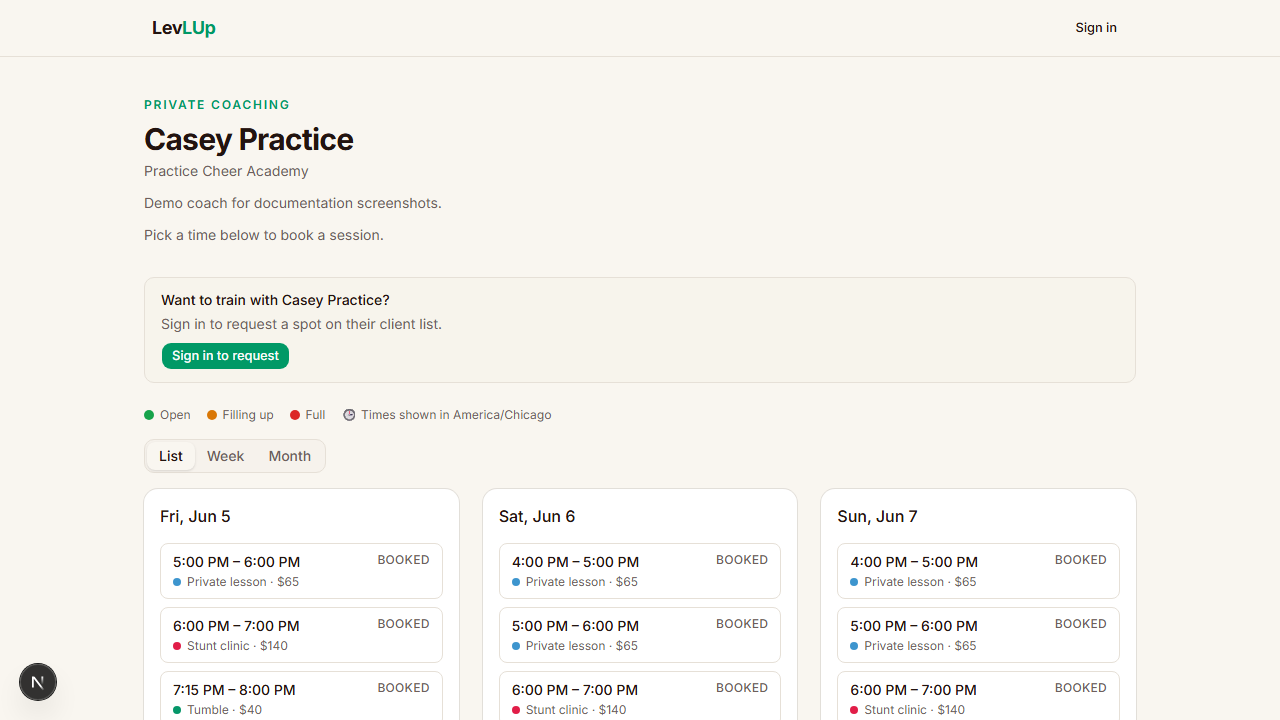
Scheduling
See your whole schedule the way you think about it
Weekly, list, or monthly views. Draft workspace to build a week in private, then publish all at once with a scheduled release. Cancel a full day and every affected family gets a heads-up automatically.
- ✓Weekly / List / Monthly views — pick what fits the moment.
- ✓Draft workspace + timed publish so families see next week at the moment you choose.
- ✓Cancel-day tool that wipes bookings + emails everyone in one shot.
- ✓Book from either side — drop an athlete into a slot from the coach view, or let the parent self-book. Same slot, same rules, same outcome.
Recurring + first-come, same week
Standing clients on Mondays. Open slots on Wednesdays. Same schedule.
Most coaches run both at once — recurring lessons for their regulars plus a handful of first-come-first-serve openings for new families or drop-ins. LevLUp treats them as one schedule, not two systems bolted together.
- ✓Save a week you've laid out — recurring clients and all — as a recurring template. Stamp it forward six or twelve weeks in one click, then tweak.
- ✓First-come slots sit in the same grid: publish an open time and any approved family can grab it the moment it goes live.
- ✓Mix the two on the same day. Monday 4pm reserved for Jane on the template, Monday 5pm left open — one week's schedule, both patterns.
- ✓When a recurring client cancels, the slot flips to first-come automatically. Someone else can book it before your next session.
Tue
- 3:00 PMPrivate
Tumbling Private · 60
RK - 4:00 PM
Tumbling · Shared 30
AMSP - 4:30 PM
Tumbling · Shared 30
open · first-come
- 5:00 PMPrivate
Tumbling Private · 60
JL
Wed
- 4:00 PM
Tumbling · Shared 60
RBSC - 5:00 PMPrivate
Tumbling Private · 30
CH - 5:30 PM
Tumbling Private · 30
open · first-come
- 6:00 PM
Stunt Group · 60
RKAMSP
Thu
- 3:30 PMPrivate
Tumbling Private · 60
JL - 4:30 PM
Tumbling · Shared 30
RB - 5:00 PM
Tumbling · Shared 30
open · first-come
- 5:30 PMPrivate
Tumbling Private · 60
SC
Sat
- 9:00 AM
Stunt Group · 90
RKAMJLSC - 10:30 AMPrivate
Tumbling Private · 60
SP - 11:30 AM
Tumbling · Shared 30
open · first-come
- 12:00 PMPrivate
Tumbling Private · 30
CH
Pricing
Set your own rates, per session type
Group sessions and private lessons don't share a rate on paper — they shouldn't share one in your booking tool either. LevLUp handles the math at booking time.
- ✓Capped split: a group shares one total, so each athlete pays less as the slot fills.
- ✓Stacked minimum: a flat per-person price, every booking.
- ✓Private buyout: one athlete reserves the whole slot for a set price.
- ✓Shape prices (30 private / 30 shared / 60 private / 60 shared) let one session type cover four rate combinations.
Pricing
The math families ask about — built right in
Set a session cap and a per-person floor. LevLUp splits the cap as the slot fills, then holds the floor once you'd otherwise go below it — so you always earn at least the minimum you'd take for that time.
No spreadsheets. No "let me figure out what to charge." It's how your booking page works out of the box.
Capped split · Interactive preview
LiveTotal for the slot before the floor kicks in
Drag to see how the split changes as the slot fills
Each family pays
$20/ athlete
You collect
$60
The cap splits evenly across the 3-athlete slot.
Floor is fixed at $20 in this preview. In the app you set both the cap and the floor per session type.
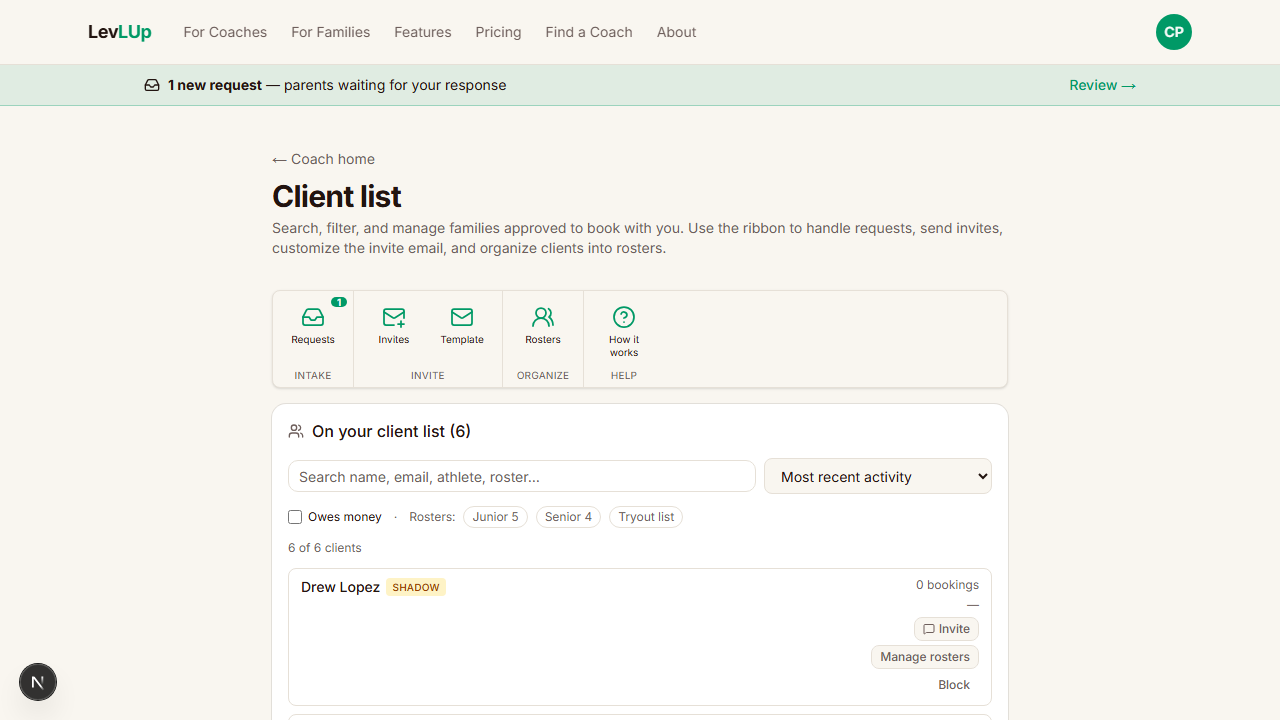
Client list + rosters
Your list, organized however you coach
See every family approved to book, search by name / email / athlete / roster, and sort into segments you can price and gate independently.
- ✓Group families into rosters like "Senior 4" or "Tryout list" — a family can belong to many.
- ✓Cap weekly hours or hide session types per roster to run level-gated programs cleanly.
- ✓Restrict individual slots to specific rosters — tryout windows and invite-only clinics stay invisible to everyone else.
- ✓Block silently if a family becomes a problem — reversible any time.
New season setup
Get every family's availability without a group text
At the start of a season, send roster families a mobile-friendly survey of the times you're considering. They mark their availability on their phone, and LevLUp builds a proposed schedule you can adjust before you publish.
- ✓Build your planned availability, then send it as an availability survey to your whole roster.
- ✓Parents mark their availability on a mobile grid — no back-and-forth texting or spreadsheet.
- ✓LevLUp picks a first-pass schedule from the responses. Pair-detect flags athletes who both want the same shared slot.
- ✓Adjust manually before publishing — you always have the final say.
The numbers coaches care about
0%commission
You bill your clients directly. LevLUp never touches the money.
$15/month, locked
Founding Coach pricing during public preview. Forever, as long as you stay.
24/7self-serve booking
Parents book, reschedule, and pay without waiting on a text back.
Where to go next
Lock in $15/month before public preview ends.
Set up your coach bio and one session type — you'll be booking families the same day.